Can You Put Concert Tickets on a Garmin Watch?
A Garmin watch can keep some concert tickets ready at the gate, but only when the original code is supported, complete, and stable.
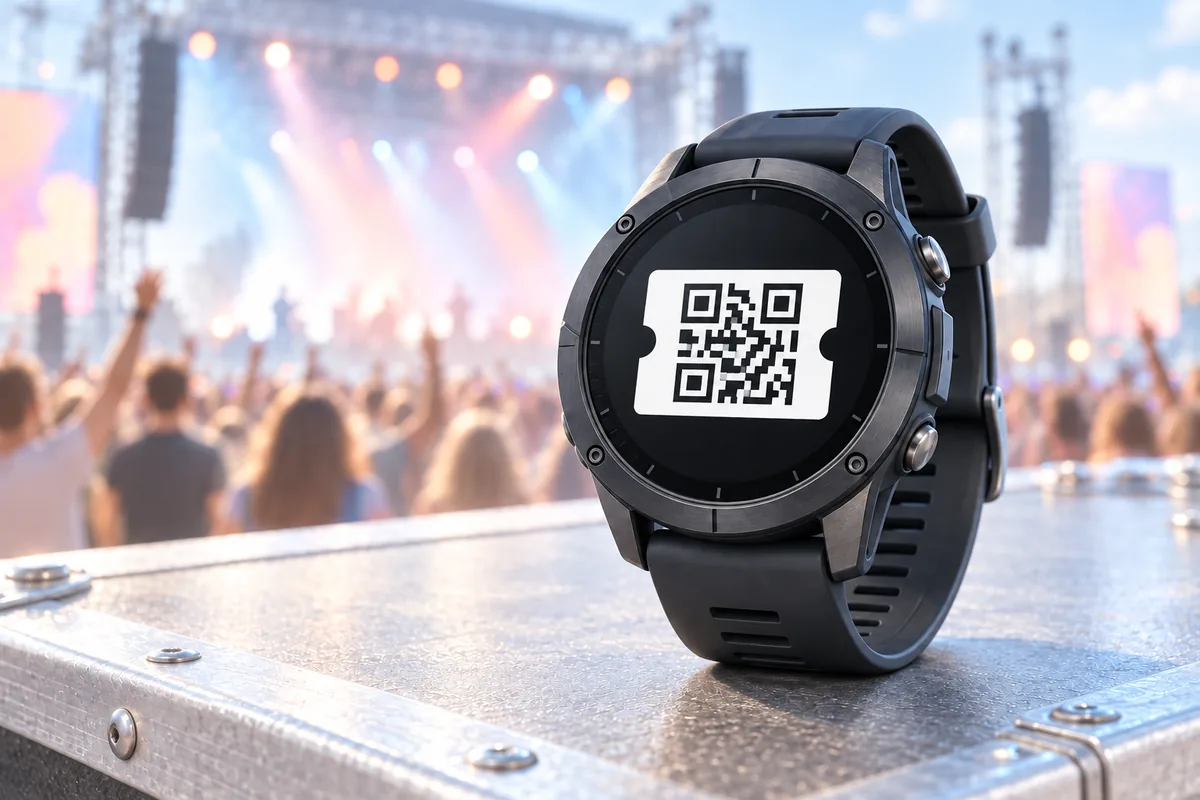
The useful answer is yes, with an important qualification. A concert ticket is not automatically a QR code, and a code that looks right on a watch is not automatically accepted at the entrance. Ticket systems can issue a static QR, a linear barcode, an Aztec code, a changing QR or PDF417 symbol, an NFC pass, or a festival credential linked to RFID hardware.
For WalletPro, the practical question is not only whether the ticket says “mobile ticket.” The important questions are which symbol is actually on the original ticket, whether its stored value stays the same, and whether the venue can scan that same symbol from a watch display.
Concert tickets do not share one universal format
QR is common, but it is not the rule for every event. Static QR tickets are often delivered as an image, a PDF, or a pass that keeps the same encoded value. Some event systems use a linear barcode instead. Some security-focused mobile tickets show a rotating QR or PDF417 token, while a wallet pass may ask you to tap an NFC reader instead of showing a visible code.
Aztec is also a real event-ticket format, and WalletPro supports it, but its presence in a ticket does not mean it can be replaced with QR. The original symbology and the complete decoded value belong together. Re-encoding the text into another format can create a perfectly readable symbol that the entrance system does not recognize.
PDF417, Data Matrix, and other formats require the original ticket service. WalletPro does not create those symbols. A paper ticket or PDF is only a delivery container: the important part is the code inside it and the rules that determine whether the code is static.
Static tickets are the best watch candidates
Static means that the encoded value and symbol do not change between setup and entry. A static QR or Aztec ticket is the clearest candidate for a Garmin backup. A static Code 128, EAN-13, Code 39, or UPC-A ticket may also be suitable when that is the format printed by the issuer and accepted by the scanner.
Do not judge a ticket by a screenshot alone. A still image can be a useful source for decoding a static symbol, but it cannot preserve a live token, account session, NFC credential, activation state, or an event-specific anti-fraud check. If the ticket says that the code moves, refreshes, activates shortly before the event, or must be shown from the issuing service, keep that service as the authoritative ticket.
Changing tickets are a different category
Some concert passes deliberately change the visible code every few seconds or minutes. Others reveal the code only near the event, bind it to an account, invalidate it after a transfer, or use a wallet tap with no visible QR. A festival may issue an RFID wristband with a chip rather than a watch-readable screen symbol.
These tickets are not static barcode data. Saving one frame on a Garmin watch cannot refresh it or reproduce the NFC/RFID transaction. A watch copy may show an old image while the official pass has already changed, and a gate can reject it even when a general-purpose scanner reads the image.
WalletPro cannot sign in to a ticket account, refresh a rotating token, activate a pass, or emulate NFC and RFID. It stores the value you provide and displays the selected supported format after synchronisation. That makes it useful as a second copy for a stable ticket, not a replacement for a managed entry credential.
How to prepare a static concert ticket
Read the symbol from the original ticket file or image, not the seat number or barcode number printed beside it. The printed number may be only a label; WalletPro needs the complete data encoded in the symbol.
- Import the original ticket image or choose the original ticket file in a decoding tool that explicitly supports the symbol shown on the ticket. Keep the full white border around the symbol.
- Confirm whether the result is QR, Aztec, Code 128, EAN-13, Code 39, or UPC-A. If it identifies PDF417, Data Matrix, NFC, RFID, or another unsupported format, keep using the original ticket.
- Copy the complete decoded value exactly. Do not use OCR output, a cropped fragment, a visible seat number, or a shortened value.
- Open WalletPro Settings in Garmin Connect IQ, create or edit a card, select the same format, paste the value into Value / Secret, and synchronise the watch. Use Settings for a long value rather than typing it on the watch.
The WalletPro card editing guide explains the settings and on-watch editor. If the code later fails to scan, the barcode troubleshooting guide helps separate a data problem from a display or scanner problem.
Test before the concert
The first test should happen before leaving for the venue, with the original ticket still available. Open the saved card, raise the display brightness if needed, and make sure the complete symbol and its quiet zone are visible. Compare it with the original format and value rather than comparing only the general shape.
A successful read by a generic scanner is not the same as admission. The venue may use a configured scanner, a live-token check, an account lookup, or a contactless reader. If possible, test the watch at an official ticket desk or with the same type of entrance scanner before the event begins.
If the watch copy is rejected, use the official ticket immediately. Do not keep changing the value or convert the code to another symbology while waiting at the gate. Preserve the original ticket, the full decoded value, and the format selected in WalletPro so the problem can be diagnosed later.
Keep the official ticket available
Concert entry can depend on more than the symbol: ticket ownership, transfer status, activation time, venue policy, a changing token, or contactless hardware may all matter. The watch should remain a convenient backup, never the only copy of a managed ticket. Keep the original ticket service available and bring the required account or event information.
WalletPro is most useful when the concert ticket is a stable QR or Aztec image and the gate accepts a screen-based scan. It can also display other supported static barcode values when the original scanner expects that format. It does not promise universal venue compatibility, does not import tickets from other services, and does not reproduce dynamic QR, rotating PDF417, NFC, or RFID credentials.
What WalletPro supports
WalletPro stores static QR, Aztec, Code 128, EAN-13, Code 39, and UPC-A values on supported Garmin watches and keeps them available offline after synchronisation. The code remains the source of truth: preserve its format, value, quiet zone, and complete symbol when preparing the card.
For a long value, use Settings in Garmin Connect IQ to paste it. If the ticket changes, is app-bound, appears only shortly before entry, or asks for a tap, keep the official pass available instead. When the ticket is static and the venue accepts it, a Garmin watch can be a simple and useful second place to keep a concert ticket.
WalletPro is available in the Garmin Connect IQ Store.
The short answer is yes for some static concert tickets, no as a general promise for every mobile ticket. Check the original format and whether it changes, preserve the complete encoded value, use the same supported format on the watch, and test it before relying on it at the entrance.