QR and Barcode Length Limits on Garmin Watches
WalletPro can preserve a long value, but the amount a real scanner can read is decided by the code format and the watch display.
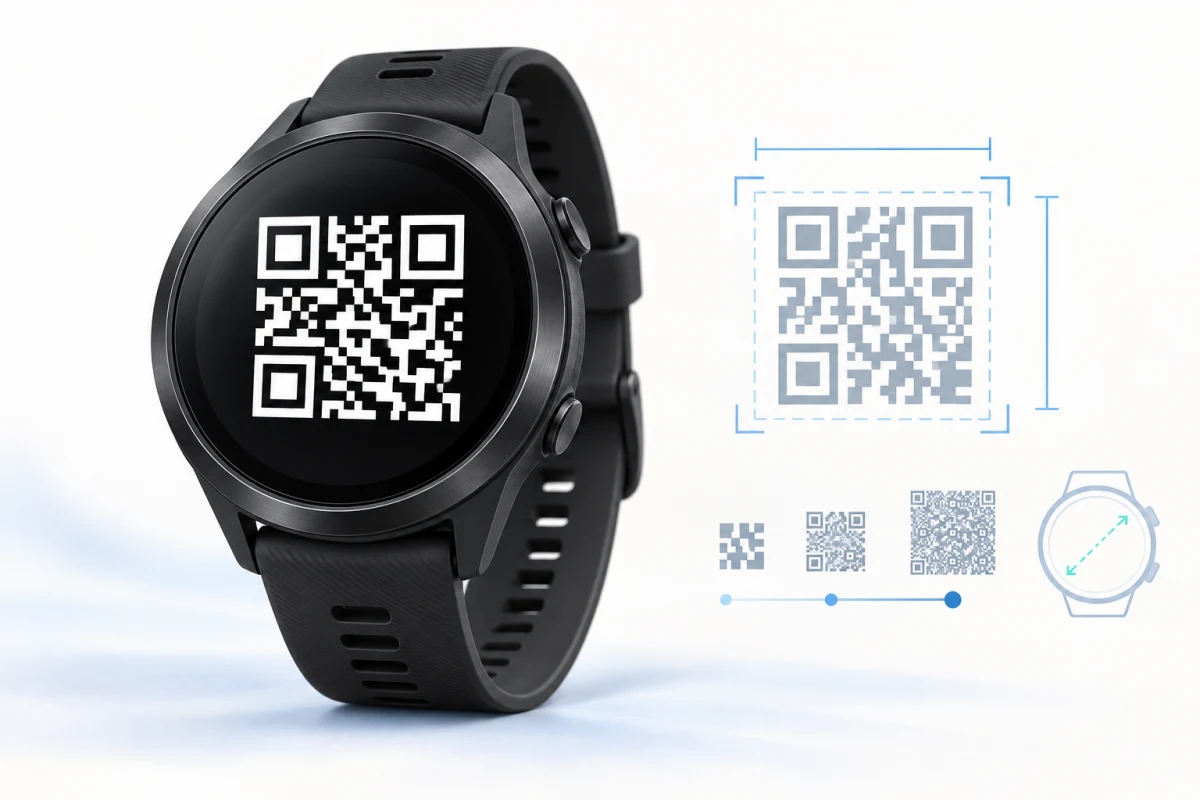
The most useful distinction is between stored length and scannable length. WalletPro’s Value field holds up to 512 characters, so a long value can remain intact in Garmin Connect IQ settings and on a compatible watch. That does not mean every code type can render or scan all 512 characters. A QR symbol needs enough modules and quiet space on the screen, while a linear barcode needs enough physical width for its bars. The practical limit is therefore a property of the format, the value, and the watch display together.
What the 512-character field means
The field is a storage boundary, not a promise that every value becomes a usable code. If the selected encoder cannot admit a value, WalletPro preserves the entered data and shows a clear diagnostic instead of silently shortening it. Enter the value exactly as issued, including leading zeroes, punctuation, capitalisation, and the original format. A shorter-looking number printed below a symbol may not be the complete encoded value. The printed number is not always the encoded value.
WalletPro uses a byte-mode QR path in its active QR graphs. ASCII digits and capital letters use one UTF-8 byte each, but they do not receive the compact numeric or alphanumeric packing that a specialised QR encoder could use. Digits and capitals are friendly to QR storage, yet the active display calculation still treats them as bytes. Non-ASCII characters can consume multiple bytes, so character count alone is not a reliable capacity test.
QR capacity follows the screen
Static code-derived admission estimates show the difference between ordinary standard displays and compact low-memory fields. On ordinary standard layouts, the approximate ASCII ceilings are about 44 bytes on a 208-pixel field, 64 on 218, 86 on 240–246, 108 on 260–282, 154 on 320, 216 on 360, 254 on 390, 290 on 416–420, 334–365 on 448–454, and about 415 on a 480-pixel field. These are engineering admission estimates, not a universal physical scan guarantee: brightness, reflections, camera distance, focus, quiet zone, and the receiving reader still matter.
This makes a 180-character ASCII QR plausible on many ordinary standard Garmin layouts from roughly the 360-pixel class upward, but not on every compact or smaller display. A 300-character ASCII value normally needs one of the largest standard layouts, roughly the 448-pixel class or above. A 512-character value can fit the storage field while remaining too large for active QR rendering. Compact and constrained fields are tighter: the common version-3 boundary is about 44 ASCII bytes when the symbol is kept at 3 pixels per module, with a version-4 path around 99 pixels where that graph permits it. Compact fields should be tested as their own class.
Screen geometry is part of QR capacity. AMOLED and reflective MIP displays can both show useful symbols, but the same payload may be accepted on a large standard watch and rejected on a compact field. Crossover layouts use their own hand-safe geometry and should not be treated as ordinary 390-pixel screens. The Garmin QR and barcode troubleshooting guide explains how to separate capacity, contrast, format, and scanner problems.
Linear barcode limits are much narrower
Code 128 accepts printable ASCII but its bars must fit across the available width. On a standard watch, a nonnumeric value may become impractical at roughly 6–9 characters, while paired numeric encoding can reach roughly 13–19 digits depending on the display. Compact fields are tighter, around 6 nonnumeric characters or 12 numeric digits in the current display model. The app reports Barcode too long or invalid data rather than changing the identifier.
Code 39 has an encoder hard cap of 80 characters, but screen width usually becomes the real limit much earlier, often around 8–12 characters. EAN-13 and UPC-A are fixed-format symbols rather than general long-value containers: EAN-13 uses 12 data digits plus a check digit, or a valid 13-digit value, and UPC-A uses 11 data digits plus a check digit, or a valid 12-digit value. Keep the original symbology; converting a retail barcode to QR changes what the scanner expects.
Aztec is also a separate capacity class. WalletPro’s current Aztec encoder admits about 53 printable ASCII bytes in its compact configuration, even though the common Value field is larger. Long ticket or travel data may therefore fit in storage but receive an Aztec too long diagnostic. The boarding-pass and ticket guide covers why the original QR or Aztec format matters.
vCard, Notes, and 2FA are different limits
Not every Value field is a barcode payload. Notes can store short written references, and TOTP setup data has semantic limits: a normal code displays 6–8 digits, a period is constrained to a practical range, and the setup string must still be a valid secret or otpauth URI. vCard contact cards are supported on compatible graphs, but availability and field support depend on the watch capability. A 512-character storage ceiling is not a universal limit for every feature.
How to choose a safe value
Start with the issuer’s original card or official app. Decode the complete value, retain its exact case and punctuation, select the same code type, and test it at the real scanner. Static membership, loyalty, gym, club, parkrun, and compatible access codes are the natural offline-wallet use cases. A dynamic code that changes in an official app cannot be refreshed, validated, or reproduced by WalletPro; an RFID or NFC badge is a separate physical-chip credential, not a QR or barcode. A real scanner remains the final authority.
For a contact QR, use the vCard contact QR guide. For editing and synchronising cards, use the card editing guide. When a value is too long, keep the original data, try a suitable format or larger compatible display, and follow the diagnostic. The watch should tell you when capacity is the constraint, not silently produce a different identifier.
WalletPro is a practical offline QR and barcode wallet for Garmin watches because it keeps the original value visible, supports several code families, and explains format or capacity failures. Its useful limit is not one headline number: it is the intersection of the original code, the encoded bytes, the watch geometry, and the receiving scanner.